I am learning flutter from JustAcademy, They provide very much great environment where people gather and work simultaneously. totally project based training institute.
MOHD ABU BAKAR ANSARI
Flutter Developer
Awesome Experience. I am a Front-end Web Designer working at Star India for 3 years now. I applied for Full-stack development and my experience has been phenomenal & they really do help with placements exceptionally. Thank you Roshan sir so much.
Flutter has established itself as one of the most powerful and widely adopted frameworks for building cross-platform mobile applications in 2026. With a single codebase, Flutter allows developers to build beautiful, high-performance apps for Android, iOS, web, and desktop simultaneously. For beginners, this means that learning Flutter is an investment that opens multiple career pathways at once rather than locking you into a single platform.
But learning Flutter through tutorials alone is not enough to get hired. Employers want to see that you can apply your knowledge to build real, functional applications. That is where projects come in. Building flutter projects for beginners is the single most effective way to develop genuine proficiency, create portfolio material that impresses recruiters, and prepare for the technical assessments that companies include in their hiring processes.
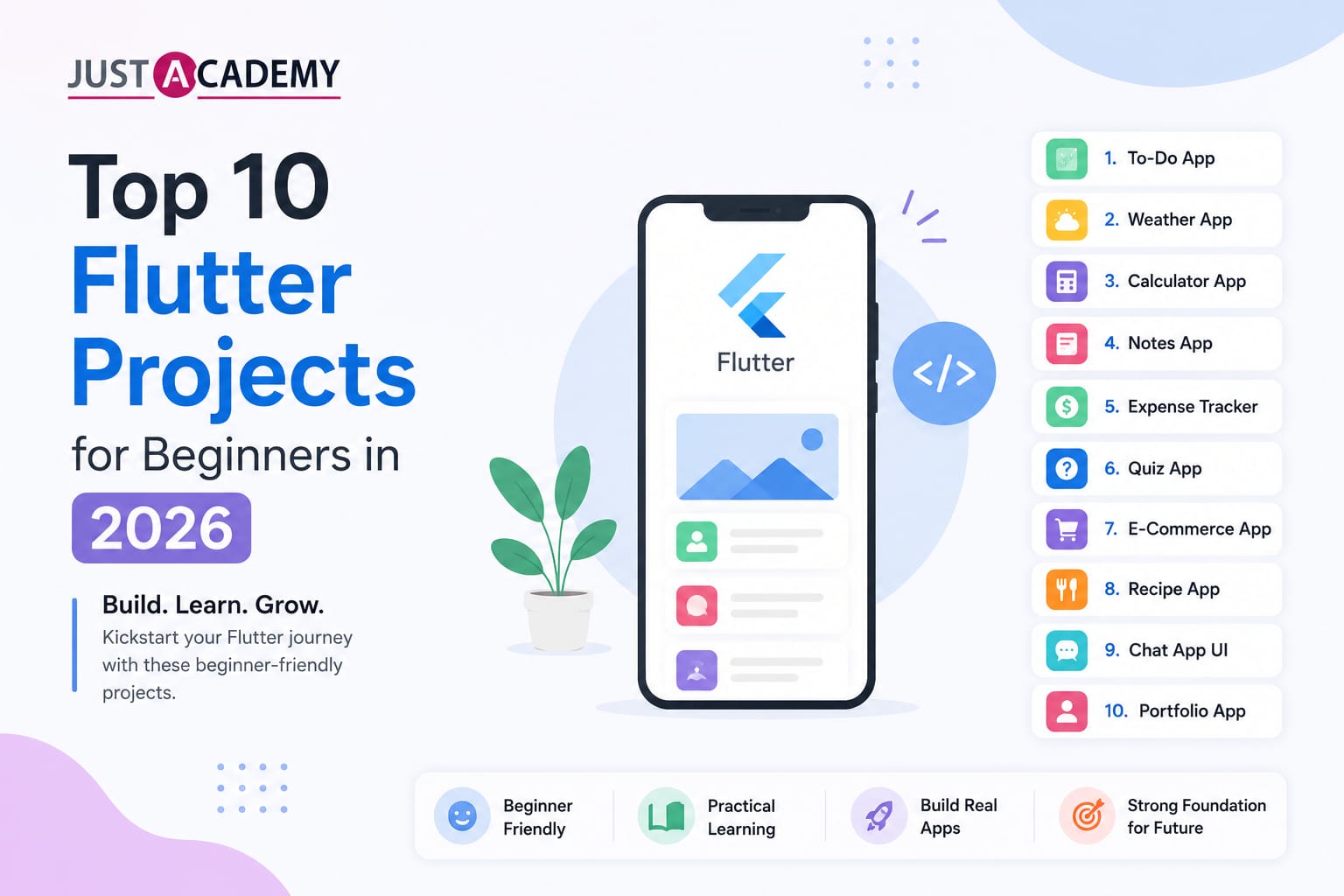
This blog covers the top 10 flutter project ideas for beginners in 2026, with details on what each project teaches, which Flutter concepts it covers, and what makes it valuable for your portfolio. Whether you are learning through the best Flutter course in Mumbai or through a live interactive online Flutter training program, these projects will give you the hands-on experience that transforms theoretical knowledge into job-ready skills.
Why Building Flutter Projects Is the Fastest Way to Learn in 2026
Projects Bridge the Gap Between Theory and Real Skills
Watching tutorials and reading documentation introduces you to Flutter widgets, state management, and navigation concepts. But it does not build the problem-solving instinct, debugging skill, and architectural thinking that professional Flutter development requires. Projects force you to encounter real challenges like state not updating as expected, layouts breaking on different screen sizes, API calls failing silently, and navigation logic becoming complex. Solving these problems independently is what builds genuine proficiency that shows up clearly in technical interviews.
Recruiters in India Are Screening for Portfolios
The Flutter developer job market in India in 2026 is competitive. Freshers applying for mobile developer roles at product startups, IT services companies, and digital agencies are increasingly evaluated on their GitHub profiles and portfolio apps before they are invited for technical interviews. Recruiters who receive hundreds of applications look for candidates who can demonstrate they have built something real, not just completed a course. Having three to five well-documented Flutter projects hosted on GitHub or published as APKs on Google Play is a stronger signal than any certificate alone.
Projects Accelerate Learning Velocity
Each Flutter project you build teaches you something the previous one did not. The first project teaches you widget basics and layouts. The second teaches you state management. The third introduces API integration. The fourth adds local database storage. Each project layers new concepts on top of the foundation you have already built, creating compounding learning that is far more efficient than studying topics in isolation. The ten projects in this blog are sequenced to progressively increase in complexity so that each one prepares you for the next.
Building Projects Prepares You for Technical Interview Tasks
Many Flutter developer interviews include a take-home project or live coding task where you are asked to build a small app or implement a specific feature within a time limit. Candidates who have built multiple projects from scratch complete these tasks significantly faster and more confidently than those who have only followed tutorials. The muscle memory of creating Flutter projects, structuring files, managing state, connecting to APIs, and handling errors under time pressure is built through repeated practice, not passive learning.
Top 10 Flutter Projects Every Beginner Should Build
Project 1: Personal To-Do List App
What You Build
A clean, functional task management app where users can add tasks with titles and optional descriptions, mark tasks as complete, delete tasks, and filter the list to show all tasks, only active tasks, or only completed tasks.
Why This Project Is Important for Beginners
The To-Do app is the ideal first Flutter project because it covers the fundamental building blocks of every Flutter application without overwhelming complexity. You will work with stateful and stateless widgets, understand the difference between them, and practice rebuilding the UI in response to state changes. You will implement a ListView to display a dynamic list of items, use TextField and FloatingActionButton for user input, and apply basic styling with colors, fonts, and padding. This project also introduces you to managing a simple list data structure in Dart, which is the foundational data manipulation skill for all subsequent projects.
Key Flutter Concepts Covered
Concept
Application in This Project
StatefulWidget and setState
Updating the task list when items are added or completed
ListView.builder
Rendering a dynamic list of task items efficiently
TextField and TextEditingController
Capturing user input for new tasks
Checkbox widget
Marking tasks as complete
Basic theming
Consistent colors and typography across the app
What to Add to Make It Portfolio-Worthy
Add local persistence using the shared_preferences package so tasks survive app restarts. Add due date support with a date picker. Add priority levels with color coding. Write clean, well-commented code and push it to GitHub with a detailed README that explains what the app does and how to run it.
Project 2: Weather App With API Integration
What You Build
A weather application that allows users to search for any city and displays current weather conditions including temperature, humidity, wind speed, weather description, and an appropriate weather icon. The app fetches live data from a free weather API like OpenWeatherMap.
Why This Project Is Important for Beginners
This project introduces the single most important skill in mobile development after UI building: consuming REST APIs. Learning to make HTTP GET requests, parse JSON responses, handle loading states, and display error messages when the network is unavailable covers a workflow that is central to virtually every real-world Flutter application. It also introduces you to the FutureBuilder widget for handling asynchronous data, the http or dio package for network requests, and the concept of separating API logic into a service class rather than mixing it with UI code.
Key Flutter Concepts Covered
Concept
Application in This Project
HTTP requests with http or dio
Fetching weather data from OpenWeatherMap API
FutureBuilder
Displaying loading, error, and data states
JSON parsing
Converting API response to Dart model objects
Service class architecture
Separating network logic from UI code
Error handling
Showing user-friendly messages for network failures
What to Add to Make It Portfolio-Worthy
Add a five-day forecast section. Implement GPS-based automatic location detection using the geolocator package. Add animated weather icons that change based on conditions. Use a gradient background that changes with time of day.
Project 3: Expense Tracker App
What You Build
A personal finance tracking app where users can add income and expense transactions with categories, amounts, dates, and notes. The app displays a running balance, a transaction history list, and a simple chart showing spending by category.
Why This Project Is Important for Beginners
The expense tracker introduces local database storage using SQLite through the sqflite package, which is one of the most important data persistence skills for mobile developers. It also introduces the concept of CRUD operations in a mobile context, form validation to ensure users enter valid data before saving, and basic data visualization using charts. Managing transactions with categories, filtering, and totals adds meaningful business logic that goes beyond simple list management. This project demonstrates to employers that you can build data-driven applications with real utility.
Key Flutter Concepts Covered
Concept
Application in This Project
SQLite with sqflite
Storing and retrieving transactions locally
Form validation
Ensuring amount, category, and date fields are valid
ListView with custom tiles
Displaying transactions with amount, category, and date
fl_chart package
Visualizing spending by category as a pie or bar chart
DateTime handling
Recording and displaying transaction dates
What to Add to Make It Portfolio-Worthy
Add monthly filtering to view transactions by month. Add export to CSV functionality. Implement category budget limits with alerts when spending approaches the limit. Add a splash screen and smooth animations between screens.
Project 4: Quiz App With Score Tracking
What You Build
A multiple-choice quiz application with a set of questions loaded from a JSON file or API, a timer for each question, a progress indicator, immediate feedback on correct and incorrect answers, and a final score screen with the option to restart or share the score.
Why This Project Is Important for Beginners
The quiz app teaches you several important Flutter patterns. Loading data from a local JSON asset file introduces you to asset management and JSON decoding in Dart. Implementing a timer teaches you how to use the Timer class from the dart:async library and how to cancel and restart timers correctly. Managing multi-screen navigation with data passing between screens teaches you Flutter's Navigator and named routes. The quiz app also introduces you to the concept of a controller or logic class that manages the quiz state separately from the UI, which is a step toward proper state management architecture.
Key Flutter Concepts Covered
Concept
Application in This Project
JSON asset loading
Reading questions from a local JSON file
Timer class
Countdown timer for each question
Navigator and routing
Moving between question, result, and home screens
AnimatedContainer
Smooth color transitions for correct/incorrect feedback
Progress indicators
LinearProgressIndicator showing quiz completion
What to Add to Make It Portfolio-Worthy
Add multiple quiz categories fetched from an online quiz API like Open Trivia DB. Implement a high score leaderboard stored locally. Add difficulty levels. Include sound effects for correct and incorrect answers using the audioplayers package.
Project 5: Chat UI App
What You Build
A chat interface application with a realistic messaging UI that displays sent and received messages in chat bubbles with timestamps, an input field at the bottom for composing messages, and a contacts or conversation list screen.
Why This Project Is Important for Beginners
Building a chat UI is one of the best exercises for mastering Flutter layout skills because the requirements are visually specific and require careful use of alignment, padding, constraints, and conditional styling. Differentiating sent and received messages by alignment and color, formatting timestamps, and auto-scrolling to the latest message in a ListView teach you layout control that applies directly to commercial app development. For more advanced implementations, integrating Firebase Firestore for real-time messaging introduces backend integration that is extremely valuable for a portfolio.
Key Flutter Concepts Covered
Concept
Application in This Project
ListView with reverse scrolling
Displaying messages with newest at the bottom
Conditional widget styling
Different bubble colors for sent and received messages
ScrollController
Auto-scrolling to the latest message
Firebase Firestore (optional)
Real-time message storage and retrieval
StreamBuilder
Listening to real-time database updates
What to Add to Make It Portfolio-Worthy
Integrate Firebase Authentication for user login and Firebase Firestore for real-time messaging. Add image sharing using image_picker. Add read receipts and online status indicators. This transforms the project from a UI exercise into a fully functional real-time chat application.
Project 6: E-Commerce Product Listing App
What You Build
A shopping app that displays a grid or list of products fetched from a public API or mock JSON data, with product detail screens, a search and filter functionality, and an add-to-cart feature with a cart screen showing selected items and a total price.
Why This Project Is Important for Beginners
E-commerce apps are among the most commonly built applications in the industry and demonstrating that you can build one is immediately recognized as valuable by interviewers. This project introduces GridView for displaying product catalogs, Hero animations for smooth transitions between list and detail screens, state management for the shopping cart that persists across navigation, and search and filter logic applied to a data list. It also teaches you how to structure a multi-screen Flutter application with clean separation between data, business logic, and UI layers.
Key Flutter Concepts Covered
Concept
Application in This Project
GridView.builder
Displaying products in a responsive grid layout
Hero animation
Smooth product image transition to detail screen
Provider or Riverpod
Managing shopping cart state across screens
Search and filter logic
Filtering product list by name or category
CachedNetworkImage
Efficient loading and caching of product images
What to Add to Make It Portfolio-Worthy
Add a wishlist feature. Implement product reviews and ratings. Add a checkout flow with address input and order summary. Use Provider or Riverpod for state management and document the architecture clearly in the README.
Project 7: Fitness Tracker App
What You Build
A daily fitness tracking application where users can log workouts by type, duration, and calories, view a weekly activity summary with a chart, track daily step count using the device pedometer, and set daily fitness goals with progress indicators.
Why This Project Is Important for Beginners
The fitness tracker introduces device sensor integration, which is a capability that distinguishes mobile applications from web applications. Using the pedometer package to access step count data from the device sensors teaches you how to interact with platform-specific hardware. Managing time-series data for weekly summaries introduces more complex data manipulation in Dart. This project also gives you practice with charts, progress indicators, and goal-tracking UI patterns that are widely used across health, productivity, and finance applications.
Key Flutter Concepts Covered
Concept
Application in This Project
pedometer package
Accessing real-time step count from device sensors
fl_chart or syncfusion_flutter_charts
Weekly activity bar or line chart
Local notifications
Reminders and goal achievement alerts
Shared preferences
Storing daily goals and user settings
CircularProgressIndicator
Visual goal progress representation
What to Add to Make It Portfolio-Worthy
Add workout history with filters by date range and exercise type. Integrate with the health package to read data from Google Fit or Apple Health. Add a body weight log with a trend chart. Include motivational push notifications using flutter_local_notifications.
Project 8: News Reader App
What You Build
A news aggregation app that fetches headlines from a news API like NewsAPI.org, displays them in a categorized list with thumbnails, opens full articles in a WebView, allows users to save articles for offline reading, and lets users choose their preferred news categories.
Why This Project Is Important for Beginners
The news reader app brings together multiple important skills in a single project: API integration with query parameters for category and search filtering, image loading from network URLs, in-app web browsing using the webview_flutter package, local database persistence for saved articles, and user preference storage. It also introduces pagination, loading more articles as the user scrolls down, which is a common pattern in feed-based applications. The combination of networking, local storage, web content, and user preferences makes this one of the most comprehensive beginner projects.
Key Flutter Concepts Covered
Concept
Application in This Project
REST API with query parameters
Fetching news by category, keyword, or country
webview_flutter
Displaying full articles within the app
sqflite
Saving articles for offline reading
Pagination with ScrollController
Loading more articles on scroll
Shared preferences
Storing user category preferences
What to Add to Make It Portfolio-Worthy
Add a dark mode toggle that persists across app restarts. Add article sharing using the share_plus package. Implement a search feature with debouncing so the API is not called on every keystroke. Add offline mode that shows saved articles when there is no internet connection.
Project 9: Recipe App With Firebase Backend
What You Build
A recipe discovery and management app where users can browse recipes by category, view detailed instructions and ingredients, save favorite recipes to a personal collection, and add their own recipes with photos using Firebase as the backend for data storage and image hosting.
Why This Project Is Important for Beginners
This project introduces Firebase, which is one of the most important backend technologies for Flutter developers. Integrating Cloud Firestore for real-time database operations, Firebase Storage for image uploads, and Firebase Authentication for user accounts teaches you the complete Firebase development workflow that is expected in most Flutter developer job descriptions in India. Managing user-specific data where each user sees only their own saved recipes and uploaded content introduces concepts of data security rules and user-scoped queries that are essential for production app development.
Key Flutter Concepts Covered
Concept
Application in This Project
Firebase Authentication
Email and Google sign-in for user accounts
Cloud Firestore
Storing and querying recipe data in real time
Firebase Storage
Uploading and retrieving recipe photos
image_picker
Selecting photos from camera or gallery
StreamBuilder with Firestore
Real-time updates to saved recipes collection
What to Add to Make It Portfolio-Worthy
Add a recipe rating and review system. Implement social features like following other users and seeing their public recipes. Add ingredient quantity scaling based on number of servings. Include a shopping list generator that compiles ingredients from selected recipes.
Project 10: Full-Featured Task Management App With Notifications
What You Build
A comprehensive productivity application with projects and tasks, due dates and priorities, local push notifications for upcoming deadlines, a calendar view showing tasks by date, tags and labels for organization, and a dashboard showing task completion statistics.
Why This Project Is Important for Beginners
This final project is the most complex in the list and is designed to consolidate everything learned in the previous nine projects into a single, polished, production-quality application. It requires a well-thought-out state management architecture using Provider, Riverpod, or BLoC, a local database with multiple related tables, complex UI with custom widgets, local notification scheduling, and a calendar integration. Building this project forces you to make real architectural decisions about how to structure a non-trivial Flutter application, which is exactly the experience that senior developers interview for.
Key Flutter Concepts Covered
Concept
Application in This Project
BLoC or Riverpod
Scalable state management for complex app state
sqflite with multiple tables
Relational local data for projects, tasks, and tags
flutter_local_notifications
Scheduled notifications for task deadlines
table_calendar package
Calendar view with task indicators
Custom widgets
Reusable UI components across multiple screens
What to Add to Make It Portfolio-Worthy
Add cloud sync using Firebase so tasks are available across devices. Implement collaboration features where tasks can be assigned to other users. Add a Pomodoro timer feature for focused work sessions. Write unit tests for the business logic layer using the flutter_test package and include the test results in your README.
What Makes a Strong Flutter Project Portfolio in 2026
Quality Over Quantity
Three well-built, thoroughly documented, and polished projects are significantly more impressive than ten incomplete or poorly structured ones. Recruiters and technical interviewers spend limited time reviewing portfolios and a single project that demonstrates clean architecture, good UI design, real functionality, and clear documentation makes a stronger impression than a collection of tutorial reproductions.
Documentation Is as Important as Code
Every project in your portfolio should have a detailed README on GitHub that includes what the app does and the problem it solves, the technology stack and key packages used, screenshots or a screen recording of the app in action, setup instructions for running the project locally, and a description of the architectural decisions you made. Good documentation demonstrates professional communication skills and makes it easy for interviewers to evaluate your work quickly.
Show Progression in Complexity
Your portfolio should demonstrate growth. Starting with a simple To-Do app and progressing to a Firebase-backed full-featured productivity app shows that you have systematically developed your skills. Interviewers value candidates who show evidence of a learning journey over those who present only one type of project.
Use Real State Management
Beginner Flutter tutorials often manage all state with setState, which works for simple projects but does not scale. Portfolio projects that implement Provider, Riverpod, or BLoC for state management demonstrate awareness of production development practices and immediately distinguish your work from tutorial-level projects.
Publish at Least One App
Publishing one of your projects to the Google Play Store, even as a free app, demonstrates that you understand the complete development lifecycle including release builds, app signing, Play Store listing creation, and app store guidelines. This single step elevates your profile significantly above candidates who have only run apps in emulators.
How to Build Flutter Skills Faster With the Best Training Program
Why Projects Alone Are Not Always Enough
Building projects independently teaches you a lot but it also means spending significant time on problems that an experienced instructor could resolve in minutes. Without guidance on best practices, it is easy to develop habits that work for beginner projects but create problems as complexity grows. Common examples include overusing setState where a proper state management solution is needed, creating tightly coupled code that is difficult to test and maintain, and choosing packages that are not well-maintained or compatible with current Flutter versions.
What the Best Flutter Course in Mumbai Provides
For learners based in Maharashtra, in-person Flutter training at a quality institution combines structured curriculum with the accountability of a physical classroom, real-time doubt resolution from experienced instructors, and direct access to the Mumbai mobile development job market. The best Flutter course in Mumbai in 2026 covers Dart fundamentals, Flutter widget tree and layouts, state management with Provider and Riverpod, Firebase integration, API consumption, local storage, custom animations, and complete app projects that match the complexity of the projects described in this blog.
JustAcademy's Flutter Training in Mumbai is designed for both complete beginners with no prior mobile development experience and developers with web or backend backgrounds who want to add Flutter to their skill set. The curriculum is regularly updated to reflect the current Flutter SDK version and the packages and practices that Mumbai-based employers are actually using in 2026.
What Makes the Best Interactive Online Flutter Training
For learners outside Mumbai or those who prefer flexible remote learning, a live interactive online Flutter training program delivers the same curriculum quality with the added convenience of learning from anywhere. The key distinction between a passive pre-recorded course and a genuinely interactive online program is real-time instructor interaction, live coding sessions where you can ask questions as they arise, cohort-based peer learning, project reviews with individual feedback, and placement support that connects your newly built skills to job opportunities regardless of your location.
JustAcademy's Flutter Online Training is a fully live program, not pre-recorded content. Every session is instructor-led with real-time interaction and every project is reviewed with specific feedback to help you improve your code quality and architectural decisions before adding projects to your portfolio.
Related Courses to Build a Complete Mobile and Frontend Profile
Expanding your skill set beyond Flutter increases your versatility as a mobile and frontend developer. Explore these programs at JustAcademy:
Building the right Flutter projects in the right sequence is the fastest and most reliable path from beginner to job-ready Flutter developer in 2026. The ten projects in this blog progress from a simple To-Do app through API integration, local database storage, Firebase backend development, device sensor access, and complex state management, giving you a complete learning journey that covers every major concept employers assess.
Each project you complete adds a layer to your understanding, a piece to your portfolio, and a story to tell in your next technical interview. The combination of a well-documented GitHub portfolio with three to five of these projects and a structured training background that includes live instruction and placement support is what consistently separates the Flutter developers who get hired from those who remain stuck in tutorial loops.
For learners in Maharashtra who want the best Flutter training in Mumbai with hands-on classroom instruction and local industry connections, Flutter Training in Mumbai is the program built for exactly that outcome. For learners across India and globally who want live interactive Flutter training with the flexibility to learn from anywhere, Flutter Online Training delivers the same curriculum quality, project depth, and placement support from wherever you are.
Register for a Free Demo to experience the Flutter curriculum firsthand and speak with an advisor about your mobile development career goals, or Download the Brochure to review full course details, batch schedules, and fees before you decide. Your Flutter developer journey starts with the first project. Start building today.
Why Building Flutter Projects Is the Fastest Way to Learn in 2026
Top 10 Flutter Projects Every Beginner Should Build
What Makes a Strong Flutter Project Portfolio in 2026
How to Build Flutter Skills Faster With the Best Training Program
From a humble to do list to a Node JS backend, here are the javascript project ideas that actually teach you something and give recruiters a reason to click your GitHub link.
A straight talking guide for Delhi freshers, career switchers and non tech graduates on choosing the right IT certification, and why live interactive, instructor led and mentor led training makes the difference
A grounded, honest guide for Delhi learners on skills, salaries, jobs and the learning path behind each IT career, backed by live, instructor led and mentor led training
A straight talking guide for Delhi learners on what mobile app developers really earn, which skills raise the number, and how live, mentor led training can shorten the road from beginner to hired.
A practical guide for Delhi learners covering react native app ideas for beginners, live mentor led practice, and a portfolio that actually gets interviews
A practical, honest walkthrough of Swift, Xcode, Windows workarounds, Flutter, React Native and the career paths that open up once you can build for Apple devices
A practical, no nonsense guide to software jobs for freshers, from picking a skill path to cracking interviews and aiming at the highest paying software engineering jobs
40 real questions and detailed answers on Kotlin, Jetpack, architecture, performance and security, so you walk into your next android technical interview ready to talk like a working developer.
Drop us a Query
+91 99871 84296
Available 24x7 for your queries
Want To Connect with us
🚀 Kickstart Your IT Career
with JustAcademy
Learn Industry-Focused Courses with Live Projects & Placement Assistance
Full Stack Java(Java, Spring Boot, Hibernate, REST API, React JS)
Data Analytics(Excel, SQL, Power BI, Python, Tableau)